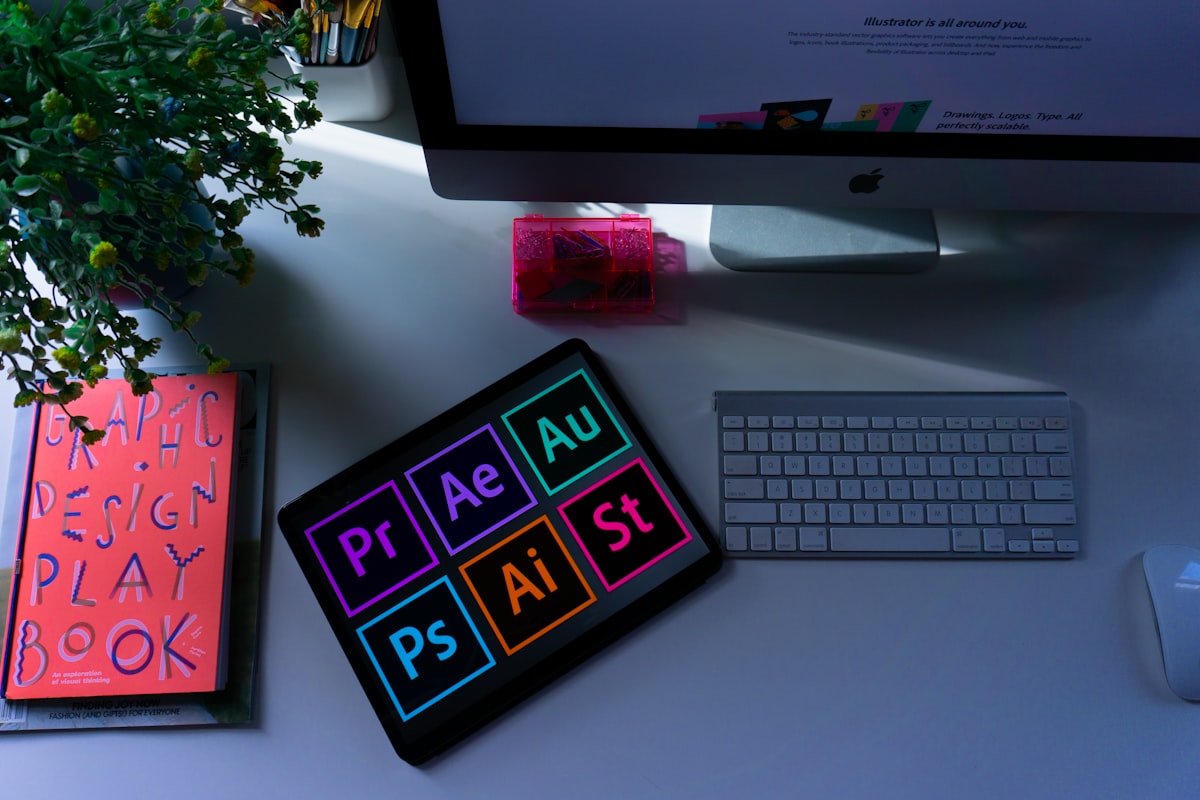
Creating a professional logo used to require hiring an expensive designer or spending hours learning design software. In 2026, AI logo generators have evolved to produce surprisingly sophisticated designs in minutes, making professional branding accessible to startups, small businesses, and entrepreneurs on a budget.
But with dozens of AI logo generators available, which one should you choose? We’ve tested the top platforms to help you find the best option for your needs and budget.
What to Look for in an AI Logo Generator
Before diving into specific tools, here’s what separates great AI logo generators from mediocre ones:
Design Quality: Does the AI produce professional, modern designs or generic clipart?
Customization Options: Can you refine the AI’s output to match your vision?
Brand Consistency: Does the tool provide color palettes, fonts, and brand guidelines?
File Formats: What formats are available for download (PNG, SVG, PDF, etc.)?
Commercial Rights: Can you legally use the logo for business purposes?
Additional Assets: Does it include business cards, social media assets, or brand kits?
Ease of Use: Is the process intuitive for non-designers?
Price: What’s the cost, and what’s included?
Top 7 AI Logo Generators Compared
Best Overall AI Logo Generator
Looka combines AI generation with professional design principles to create sophisticated logos. The platform asks about your industry, style preferences, and company name, then generates dozens of unique concepts.
Key Features:
- Highly customizable AI designs
- Smart color palette suggestions
- Font pairing recommendations
- Brand kit with 300+ branded marketing materials
- Business card and social media templates
- Vector file exports (SVG, EPS)
Pricing:
- Logo only: $20 (basic resolution)
- Premium: $65 (high-resolution, vector files)
- Brand Kit: $96 (complete brand identity package)
Pros:
- Outstanding design quality
- Excellent customization tools
- Comprehensive brand kit
- Professional color and font combinations
- Great value for money
Cons:
- Cannot download designs until purchase
- Limited revisions after purchase
- No refund policy
Best For: Small businesses and startups wanting a complete brand identity, not just a logo.
Rating: 4.7/5
2. Brandmark
Best for Unique, Modern Designs
Brandmark uses deep learning to create distinctive logos with a contemporary aesthetic. It excels at abstract and minimalist designs that feel current and professional.
Key Features:
- Advanced AI trained on design trends
- Animated logo versions
- Social media asset creation
- Brand style guide
- Color psychology integration
- Multiple concept variations
Pricing:
- Basic: $25 (logo files only)
- Designer: $65 (includes variations and assets)
- Enterprise: $175 (complete brand package)
Pros:
- advanced designs
- Animated logos included
- Strong focus on modern aesthetics
- Excellent for tech and creative industries
- Good color theory application
Cons:
- Less suitable for traditional industries
- Fewer customization options than competitors
- Can be too modern for some brands
Best For: Tech startups, creative agencies, and modern brands wanting distinctive, contemporary logos.
Rating: 4.5/5
3. Designs.ai Logomaker
Best All-in-One Creative Suite
Logomaker is part of Designs.ai’s comprehensive creative platform, offering AI logo generation alongside video, speech, and copywriting tools.
Key Features:
- Integrated with full creative suite
- Unlimited logo variations
- Smart editing tools
- Brand kit creation
- Template library
- Team collaboration features
Pricing:
- Basic: $29/month (includes all Designs.ai tools)
- Pro: $69/month (advanced features)
- Enterprise: Custom pricing
Pros:
- Access to entire creative platform
- Unlimited edits and downloads
- Good for teams
- Regular template updates
- Subscription includes multiple tools
Cons:
- Requires subscription (no one-time purchase)
- Logo quality varies
- Can be overwhelming with too many options
Best For: Businesses needing multiple creative tools beyond just logo design.
Rating: 4.3/5
4. Tailor Brands
Best for Complete Business Branding
Tailor Brands positions itself as a complete branding solution, offering not just logo design but business formation services, website building, and ongoing brand management.
Key Features:
- AI logo generation
- Website builder included
- Social media tools
- Business card designs
- Merchandise mockups
- LLC formation services (US)
- Trademark monitoring
Pricing:
- Basic: $3.99/month (logo and basic assets)
- Standard: $5.99/month (includes website)
- Premium: $12.99/month (all features)
Pros:
- Most affordable ongoing option
- Includes website builder
- Good for business formation
- Regular brand content creation
- Social media scheduling
Cons:
- Monthly subscription required
- Logo designs can be generic
- Less customization than competitors
- Must maintain subscription to access files
Best For: New businesses wanting an all-in-one branding and business setup solution.
Rating: 4.1/5
5. Wix Logo Maker
Best Free Option
Wix’s logo maker uses their extensive design experience to offer a capable free AI logo generator. While basic, it produces solid results for simple needs.
Key Features:
- Completely free basic logos
- Simple customization
- Integration with Wix websites
- Social media file sizes
- Transparent backgrounds
Pricing:
- Basic: Free (low resolution, PNG only)
- Premium: $20 (high resolution, vector files)
Pros:
- Genuinely free option available
- Very easy to use
- Good Wix ecosystem integration
- No commitment required
- Transparent pricing
Cons:
- Limited design sophistication
- Fewer customization options
- Basic compared to paid competitors
- Best for very simple logos
Best For: Bootstrapped startups, hobby projects, or testing ideas before investing in professional branding.
Rating: 4.0/5
6. Canva Logo Maker
Best for Existing Canva Users
Canva’s logo maker integrates into their popular design platform, offering AI-assisted logo creation alongside their full suite of design tools.
Key Features:
- AI logo suggestions
- Access to Canva’s template library
- Drag-and-drop customization
- Brand kit integration
- Thousands of icons and elements
- Team collaboration
Pricing:
- Free: Basic templates and elements
- Canva Pro: $12.99/month (includes logo maker, brand kit, premium elements)
Pros:
- Integrated with full Canva platform
- Massive icon and element library
- Excellent customization flexibility
- Great for creating matching marketing materials
- Team features included
Cons:
- AI generation less sophisticated than specialized tools
- Can be overwhelming for beginners
- Requires design judgment
- Subscription for best features
Best For: Users already in the Canva ecosystem or those wanting maximum design flexibility.
Rating: 4.2/5
7. Hatchful (Shopify)
Best for E-commerce Brands
Hatchful is Shopify’s free logo maker, optimized for e-commerce businesses. It’s particularly strong for retail, product, and online store branding.
Key Features:
- Completely free
- E-commerce optimized designs
- Multiple file formats
- Social media assets
- Shopify integration
- No design experience needed
Pricing:
- Free (all features, unlimited downloads)
Pros:
- Completely free with no limitations
- Designed specifically for e-commerce
- Easy Shopify integration
- Good variety of retail-focused styles
- Includes social media files
Cons:
- Limited to e-commerce aesthetic
- Less sophisticated than paid options
- Fewer customization options
- Templates can feel familiar/overused
Best For: E-commerce startups and Shopify store owners on a zero budget.
Rating: 3.9/5
Detailed Comparison Table
| Platform | Price Range | Design Quality | Customization | Best For | Trial/Free Option |
|---|
| Looka | $20-96 | Excellent | High | Complete branding | Preview only |
| Brandmark | $25-175 | Excellent | Medium | Modern brands | Preview only |
| Designs.ai | $29-69/mo | Good | High | Multi-tool needs | 7-day trial |
| Tailor Brands | $3.99-12.99/mo | Good | Medium | New businesses | Preview only |
| Wix Logo Maker | Free-$20 | Good | Medium | Budget projects | Free version |
| Canva | Free-$12.99/mo | Good | Very High | Design flexibility | Free version |
| Hatchful | Free | Fair | Low | E-commerce | Fully free |
Testing Methodology
To fairly compare these platforms, I created logos for three fictional businesses:
Test 1: Tech Startup (“CloudSync” - cloud storage company)
Test 2: Coffee Shop (“Brewpoint Café” - local coffee shop)
Test 3: Fitness Brand (“CoreFit” - fitness coaching)
Each platform was evaluated on:
- Initial design quality
- Appropriateness for industry
- Customization ease
- Final output quality
- Time to completion
- Overall value
Test Results
Tech Startup (CloudSync)
Winner: Brandmark - Created sleek, modern designs perfect for a tech brand. The abstract cloud concepts felt professional and current.
Runner-up: Looka - Excellent results with good color schemes, though slightly more traditional.
Weakest: Hatchful - Designs felt too retail-oriented for tech.
Coffee Shop (Brewpoint Café)
Winner: Looka - Warm, inviting designs with excellent font pairings that captured the local café aesthetic.
Runner-up: Canva - Great flexibility allowed creating a perfect rustic coffee shop feel with extensive customization.
Weakest: Brandmark - Too modern and minimalist for a cozy café vibe.
Fitness Brand (CoreFit)
Winner: Looka - Energetic, professional designs that balanced approachability with expertise.
Runner-up: Tailor Brands - Good variety of fitness-appropriate designs.
Weakest: Wix - Limited options for dynamic, energetic fitness branding.
Key Findings
Design Quality Hierarchy:
- Looka & Brandmark (tie) - Professional, sophisticated
- Canva & Designs.ai (tie) - Good quality, highly customizable
- Tailor Brands & Wix - Solid but sometimes generic
- Hatchful - Basic but functional
Best Value:
- Budget: Hatchful (free) or Wix ($20 one-time)
- Mid-range: Looka ($65 for Premium)
- Ongoing needs: Tailor Brands ($3.99/month)
Easiest to Use:
- Wix Logo Maker
- Hatchful
- Looka
Most Customization:
- Canva
- Designs.ai
- Looka
Frequently Asked Questions
Can I use AI-generated logos commercially?
Yes, all platforms reviewed grant commercial usage rights with paid plans. Free tiers may have restrictions - always check the specific license.
Do I own the copyright to my AI-generated logo?
Generally yes with paid plans, though you’re licensing elements (icons, fonts) rather than creating truly original artwork. Read each platform’s terms carefully.
Can I trademark an AI-generated logo?
Yes, AI-generated logos can be trademarked if they’re distinctive. The generation method doesn’t affect trademark eligibility - what matters is whether the logo is unique and serves as a brand identifier.
Are AI logo generators as good as human designers?
For simple, clean logos, AI tools can produce professional results comparable to mid-level designers. For complex, highly custom branding requiring strategic thinking, human designers still have advantages. AI tools are excellent starting points or solutions for budget-constrained businesses.
At minimum, get PNG (for web/digital) and SVG or EPS (vector format for scaling and printing). PDF is useful for some applications. Vector formats are essential for maintaining quality at any size.
Can I edit my logo after download?
Vector formats (SVG, EPS) can be edited in design software like Illustrator or Inkscape. PNG files are raster images with limited editability. Some platforms offer ongoing editing in their platform.
How long does it take to create a logo?
With AI tools, initial concepts appear in minutes. Customization and refinement typically takes 30 minutes to 2 hours depending on the platform and your decisiveness.
Should I use multiple AI logo generators?
Trying 2-3 different platforms is smart to see varied design approaches. Many offer free previews, so you can compare before purchasing.
What if I don’t like any AI-generated designs?
If AI generators aren’t producing suitable results, consider hiring a designer on Fiverr ($25-100) or 99designs (starting around $299 for design contests).
Can I get my money back if I’m not satisfied?
Refund policies vary. Looka and Brandmark generally don’t offer refunds. Subscription services like Tailor Brands can be canceled. Always check the specific refund policy before purchasing.
Tips for Using AI Logo Generators Effectively
-
Try multiple platforms: Most offer free previews - compare results before committing.
-
Be specific about your industry: Accurate industry selection helps AI suggest appropriate styles.
-
Choose colors wisely: Use color psychology - blue for trust, green for health, red for energy, etc.
-
Keep it simple: The best logos are often the simplest. Avoid complexity.
-
Think about scalability: Your logo should work tiny (favicon) and large (billboard).
-
Get vector files: Always purchase vector formats (SVG, EPS) for future flexibility.
-
Test in black and white: A good logo works without color.
-
Consider your application: Think about where you’ll use it - website, products, signage.
-
Don’t rush: Take time to customize and refine rather than accepting the first option.
-
Get feedback: Show options to colleagues or target customers before finalizing.
Final Recommendations
Best Overall: Looka - The combination of design quality, customization, and brand kit makes Looka the best choice for most small businesses. At $65 for the premium package, it delivers exceptional value.
Best for Startups: Brandmark - If you’re building a modern, tech-forward brand, Brandmark’s advanced designs justify the higher price point.
Best Free Option: Hatchful - For e-commerce businesses with zero budget, Hatchful delivers surprising quality at no cost.
Best for Flexibility: Canva Pro - If you need a logo plus ongoing design capabilities, Canva Pro’s $12.99/month includes far more than just logo creation.
Best Value: Looka Premium ($65) - The sweet spot of quality, features, and price for one-time logo purchases.
Conclusion
AI logo generators have matured significantly, now producing professional-quality designs that rival mid-range designer work at a fraction of the cost. While they can’t replace high-end brand agencies for complex identity work, they’re perfect for startups, small businesses, and entrepreneurs needing quality branding quickly and affordably.
Looka emerges as our top recommendation for most users, balancing excellent design quality, comprehensive brand assets, and fair pricing. However, the right choice depends on your specific needs, budget, and industry.
The democratization of professional design through AI means there’s no excuse for amateurish branding in 2026. Whether you have $0 or $200 to spend, you can get a logo that represents your business professionally. Take advantage of preview features, try multiple platforms, and invest in your brand - it’s the face of your business.